Exploring Calculations in Note-Taking Apps
Maths and note-taking have always gone together. Usually, that means jumping between your notes app and a calculator, but many note-taking apps already include maths features—some of which you might not even know about.
Apple Notes
Apple Notes can solve maths directly inside a note. Type or write an expression followed by an equals sign and it can show the result. It can also work with variables, equations and graphs. This works particularly well when you already know the calculation you want to perform and simply need the answer without leaving your note. See Apple’s guide to maths in Notes.
OneNote
OneNote has supported calculations for a long time. Type a calculation followed by an equals sign and it can add the answer to your note. Its Math Assistant also offers more advanced tools for solving equations, recognising handwritten maths, plotting graphs and showing the steps used to reach an answer. That makes it especially useful for students and people working with more traditional maths problems. Explore Math Assistant in OneNote.
Notion
Notion takes a different approach. It lets you add neatly formatted mathematical equations to a page and use formulas to calculate values inside databases. This is useful when you are building something more structured, but it is quite different from writing a normal note and doing a few everyday calculations inside it. Learn how formulas work in Notion.
Maths for Everyday Notes
Apple Notes, OneNote and other note-taking apps already have powerful maths tools, but most focus on equations or keep structured calculations separate from the surrounding note. NeatNotes takes a slightly different approach: your words and numbers can work together in the same everyday note. You can plan a trip, compare a purchase or keep track of a changing total without moving everything into a spreadsheet.
How NeatNotes Handles Maths
See calculations inside NeatNotes for iPhone and iPad, with examples of totals, shared expenses and currency conversions.
When you work with numbers, NeatNotes recognises them and shows useful maths options just above the keyboard. When it notices a list of numbers, it suggests the yellow total button. You can then tap any paragraph to include it in, or remove it from, the calculation. A calculator-like panel lets you choose the operation: total, split, average or paragraph count.
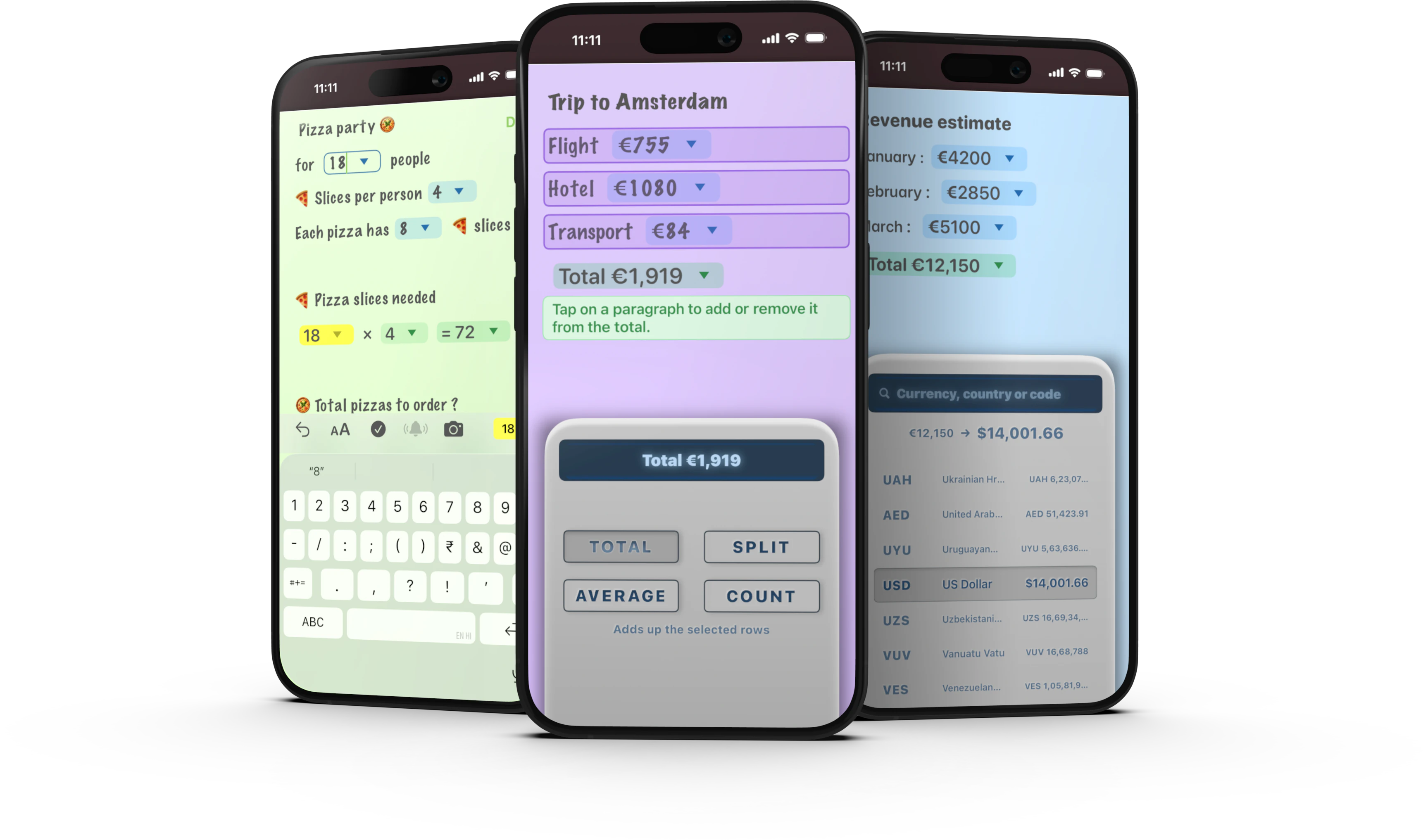
You can also reuse a value as a reference by dragging and dropping it into another calculation. If the original value changes, its references update and recalculate automatically. This lets a note behave like a miniature spreadsheet—useful for planning a trip, comparing prices, preparing a budget or any calculation where you use the same number more than once.
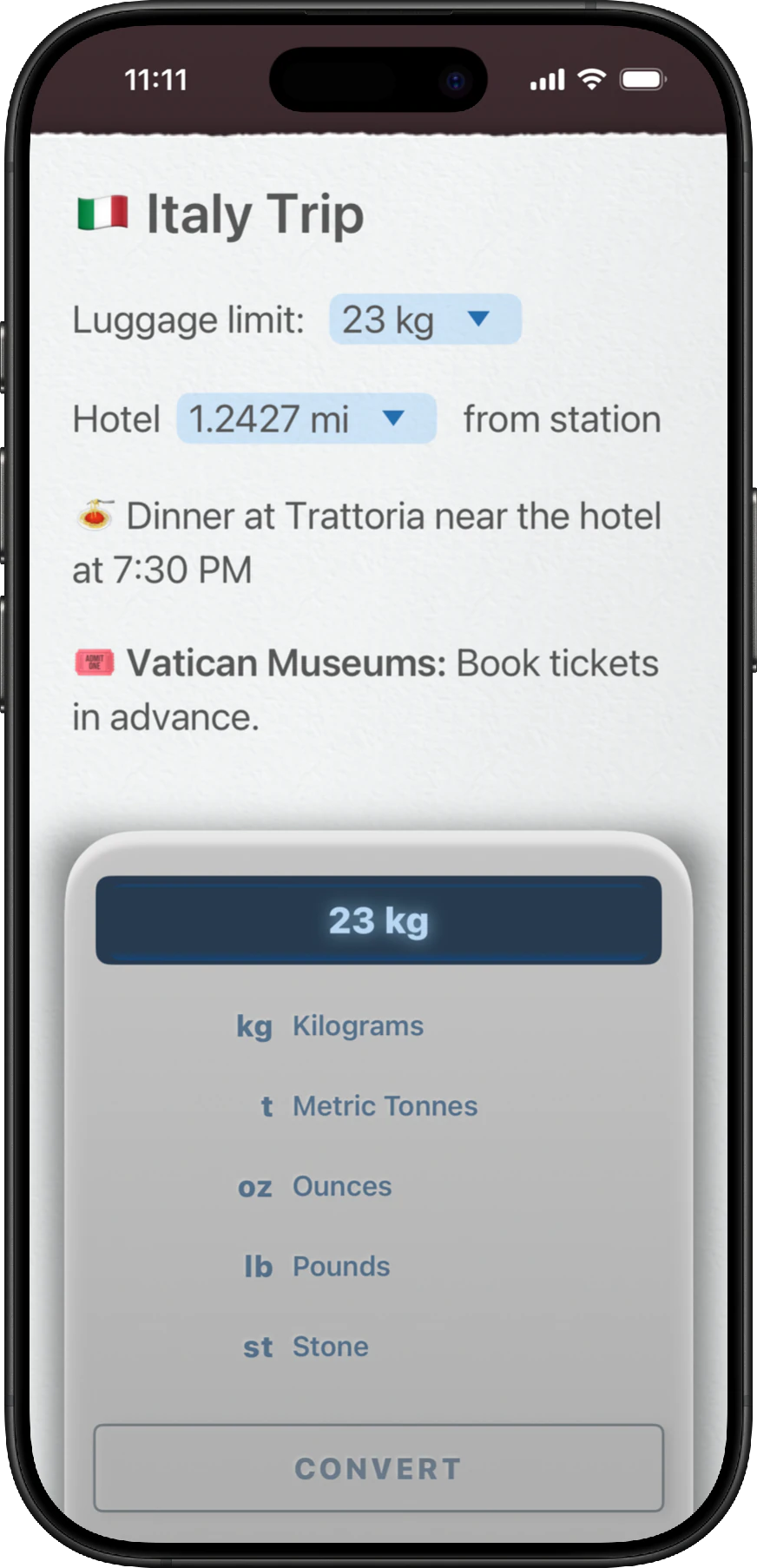
NeatNotes also supports length, volume, weight, temperature and currency conversions. Type a number with a unit or currency as you normally would, and NeatNotes recognises it and suggests the value above the keyboard. Tap the arrow beside the value to convert between more than 150 supported currencies and units.
Other Note-Taking Apps with Maths Features
- Goodnotes recognises handwritten maths and can solve equations inside a notebook with Math Assist.
- Notability turns handwritten equations into clean, formatted maths that can be edited using LaTeX.
- Craft adds spreadsheet-style formulas to tables, including totals, averages and counts.
- MyScript Notes recognises handwritten equations, converts them into maths and solves simple calculations inside notes.
- Evernote displays mathematical formulas inside notes using LaTeX.
- Bear uses LaTeX and MathJax to write and display maths formulas with a live preview.
- Obsidian supports MathJax and LaTeX for writing and displaying mathematical expressions inside notes.
Each app approaches maths differently, depending on whether its focus is handwriting, equations, databases or everyday note-taking.
Give NeatNotes a try on your iPhone or iPad and experience how naturally notes and numbers can work together.
© NeatNotes 2026